+91 9844254894 PrPreferred Mode of Communication: WhatsApp. weltraumsoft@gmail.com
Restaurant Management Software • POS

Weltraum POS — Restaurant, Counter & Kitchen on One Screen

Very simple, unique layout — simple to implement & run. Diverse security, laid out to be effortlessly usable. Built for small & large Restaurants / Hotels: KOT, billing, quick print, settlement, accounting, flexible MIS, rate/tax, daily ledger, stock & inventory.

Complete SolutionBetter Look • Easy • SecuredHigh Performance
  • Better integration of modules & reports — one data, every module
  • Intensive support for valuable processes — installation to go-live
Weltraum POSWeltraum POS restaurant software interface
Restaurant POS help guide
Need help?
POS Help guide with screenshots
Open Help
17
Real POS screens
2 modes
Touch & keyboard
Win 98→11
Any Windows PC
Features

Weltraum POS Restaurant Software Features

Everything to run service fast, accurately & profitably.

POS / NON-POS (Keyboard)

Token Billing, Direct POS modes — touch screen or full keyboard.

GST & VAT Billing

Inclusive / Exclusive, multi-rate management per item.

Multi Printer Management

Kitchen, bar & bill printers mapped per item/KOT.

A/C, Non-A/C, Take Away, Home Delivery & Room Service

All order types in one POS — service-mode tabs.

Stock & Inventory

Goods inward, transfer, consumption & stock reports.

Multi Payment & Credit Settlement

Cash, card, UPI, credit bills — network enabled.

Reservation

Walk-in & phone table booking, direct check & book.

Transfer / Merge Table

Split & combine tables — move items between tables.

Kitchen Display System

Integrated KDS — reduce waste, faster service.

Purchase / Sales Reports + Return

Comprehensive MIS, hourly, item & waiter-wise.

Happy Hours

Discounted pricing windows, auto-applied.

And Many More…

Customizable on demand — your workflow, our software.

Cloud Report Module (Add-On)

Real-time Reports — Anywhere in the World

Web-based interface to view/generate reports on any browser — today's or any preceding day's data with quick response. Check from mobile or PC, anywhere. Installed as add-on per requirement.

See Cloud Report Module
Order Types

Choose Your Service Mode

One POS, every service style — dine-in to doorstep.

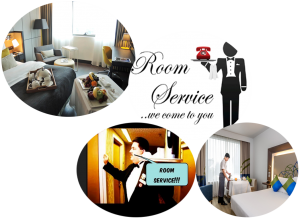
Room Services

Room Services — Integrated to PMS

Post food bills directly to Room Guest Ledger (Room Services mode). Set credit limits, settle to room folio or direct. Multiple pay modes: Cash, Cheque, Debit/Credit Card. Activate ‘Happy Hour’ discounted pricing.

See PMS Integration
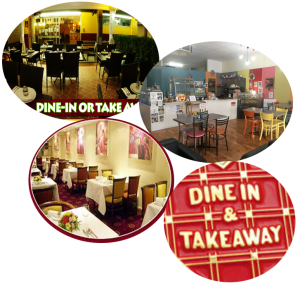
Dine In

Dine In & Take Away

Live table status, seating arrangement, course-wise ordering & guest-check for smooth settlement. Comprehensive POS to take your restaurant to next level.

Home Delivery

Home Delivery — Track End-to-End

Built-in map, driver routing, order received → dispatched → delivered. Auto-assign nearest free agent, real-time GPS tracking for staff & customer.

Kitchen display system screen

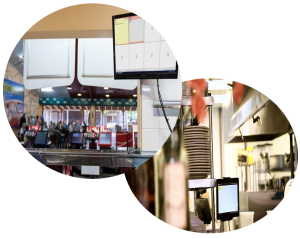
Kitchen Display System

Integrated to Weltraum POS — post to room ledger, master communication & timing, reduce waste, streamline ops, never serve cold.

Takeaway order screen

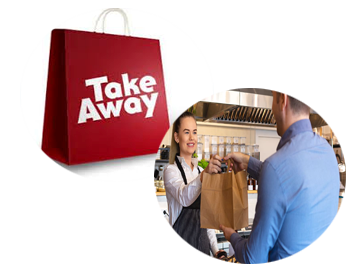
Takeaway

Hot cooked food ordered & made for eating elsewhere — quick counter billing, token & direct POS ready.

Restaurant loyalty card management screen
Retain Customers
Loyalty Card Management

Reward loyal visitors in one click — set reward % per purchase, issue cards for identification, points on every order. Turn new customers into regulars.

Open Cash Drawer

Auto-opens on cash sale (receipt printer), cash refunds, opening/closing shifts for initial/final cash entry.

Reservation

Walk-in & phone table booking, direct table check & book, multiple payment convenience.

Restaurant reservation and table booking screen
Reports & Analytics

Daily collection, waiter-wise, recipe-wise, summary bill-wise, stock / stock issue / recipe issue, commission-wise sales, outstanding settlement, tax collection, purchase/sales, currency-wise, tax, table-wise sales, KOT-to-table, cashier-wise, cancelled KOT & bill — and more.

Daily CollectionWaiter-wiseStockTaxCancelled KOTCashier-wise
Interfaces • 17 Screens

Various POS Interfaces — See the Screens

Every screen below is a real Weltraum POS screen — click any image to zoom. Same data, three ways to work it.

Touch (All-in-One)Tables & KDSKeyboard / Token
Weltraum POS login screen
Login
Secure POS Login
User ID or card login, “Save Login Info”, company/department picker, live clock & terminal name.
All in One Tables Display
Tables
All-in-One — Tables Display
Colour-coded table grid (occupied/reserved) + item list, KOT & bill print, table total, open cash drawer, order list — one screen.
All in One KOT Screen
Menu
All-in-One — Menu / KOT Screen
Touch menu grid by category, quick add by code/name/rate/qty, edit rate, kitchen instructions, edit / delete / move items.
All in One Settlement Screen
Settle
All-in-One — Settle Bill
CASH / POS / ROOM / COMPLIMENTARY / other modes, tendered & change, discount/%, tips, F4 settle.
POS with tables screen
Tables
Table Screen
Function-key POS (F8 POS · F12 KOT · F2 Bill · F3 Settlement), service-mode tabs (Restaurant/Bar/Take Away/Home Delivery/Room Service/Icecream/Shop), transfer & split table, reservation, purchases, day end.
KOT Screen
KOT
KOT (Kitchen Order Token)
Touch grid + keyboard edit in one screen, steward/waiter selection, generated-KOT list with running totals, kitchen instructions, edit rate.
Bill generation screen
Bill
Bill Generation
Convert KOTs → bill: service tax, discount, room/complimentary, merge bills, create combo, split table, print KOT list.
Bill settlement screen
Settle
Bill Settlement
Unsettled bill list; settle with pay mode, discount/reward, tips, customer name, F4 settle, un-settle option.
Direct POS
Direct
Direct POS / Counter
No table needed — bill straight from the touch grid, same KOT engine; print counter bill instantly.
Token POS
Token
Token POS
Token-based counter service — generate tokens with items; fast-food & takeaway lines.
Token Display
Display
Token Display
Customer-facing token board — pending vs processed, call the next token; clear display when done.
Payment Register
Register
Payment Register
Cash / POS / credit / cheque / to bank / complimentary, currency conversion, card & party details, running balance.
Keyboard Based KOT
Keyboard
Keyboard KOT Generation
Keyboard-first KOT entry — item code, qty, rate, kitchen instructions; F5 generate KOT, F2 bill, PAX, split bills.
Keyboard Based Billing
Keyboard
Keyboard Bill Generation
Keyboard billing — pick table, merge / combo / split, service tax, discount, advance paid, F2 print bill.
Recipe Rate Management
Recipes
Recipe Rate Management
Menu creation — per-order-type rates, tax/service %, food cost %, ingredients (BOM), recipe photos, rate-change history.
Purchase Screen
Purchase
Purchase Entry
Goods inward — PO / bill, batch, tax, discount, free qty, supplier, due date; auto net amount, print & save.
Customer Display Screen
Display
Customer Display (UPI)
“Welcome to Weltraum POS” bill mirror with UPI / GPay / Paytm / PhonePe QR — scan & pay at the counter.

Same database behind every interface — start with touch, switch to keyboard anytime. Click any screen to view full size.

Weltraum Software Pvt. Ltd.

First Floor, Baliyoor City, Kalladka, D.K, Karnataka — 9844254894

whatsapp +91 9844254894 • weltraumsoft@gmail.com

Quick Enquiry
Chat on WhatsApp