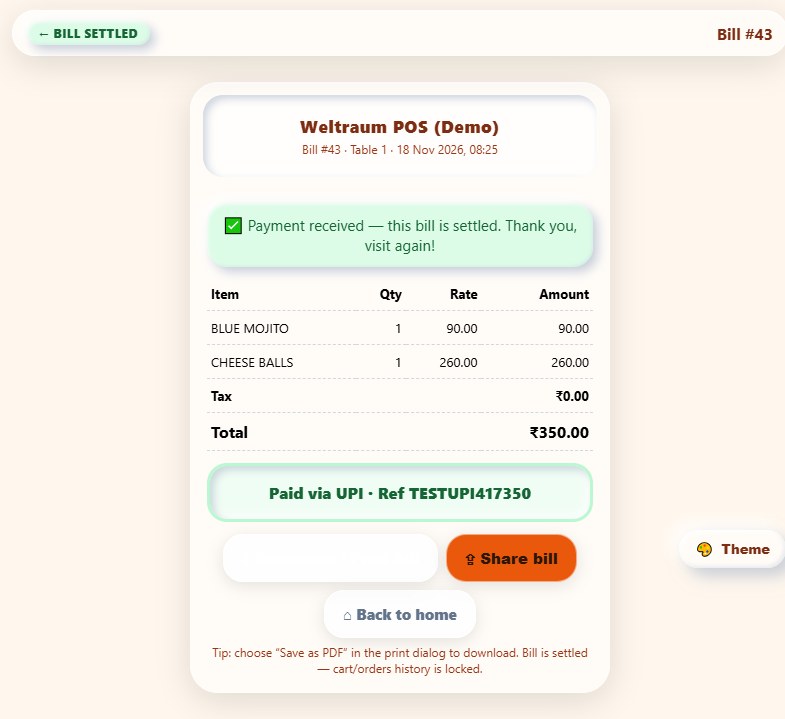
Guests scan the QR on their table and open the menu on their own phone. They add items and kitchen notes, send the order straight to the kitchen as a KOT, then generate a bill and pay by UPI — no app install, no waiting for a waiter.
Built for quick service restaurants, cafés and busy QSR counters — dine-in tables, takeaway and high-turnover service in one flow. Each phone stays locked to its table until the bill is settled, with live POS sync and optional geofencing.
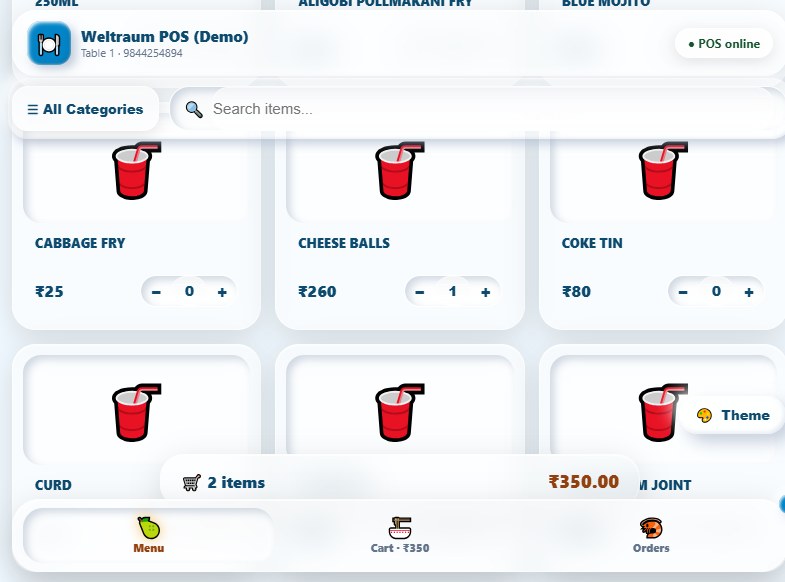
Screens and operations taken straight from the running Weltraum POS guest ordering app — shown below exactly as they appear on the guest's phone.
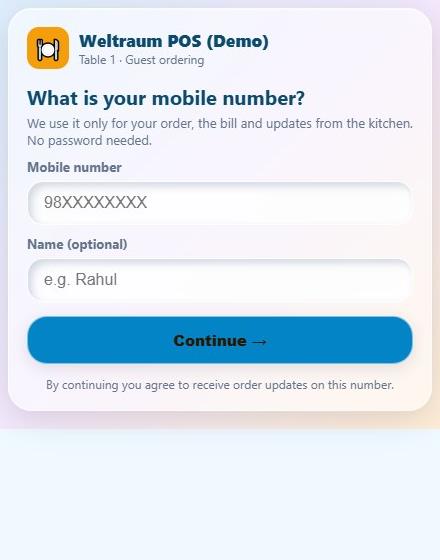
Every table gets its own QR link. Scanning it opens that table's menu instantly in the guest's mobile browser — no download, no password, no confusion.
Large category chips and clear item cards with prices. Guests build their own order with quantity steppers and add a kitchen note for anything custom.
The same fast menu works at the counter or on a self-order kiosk for takeaway and high-turnover QSR service, so dine-in and counter orders flow into one kitchen.
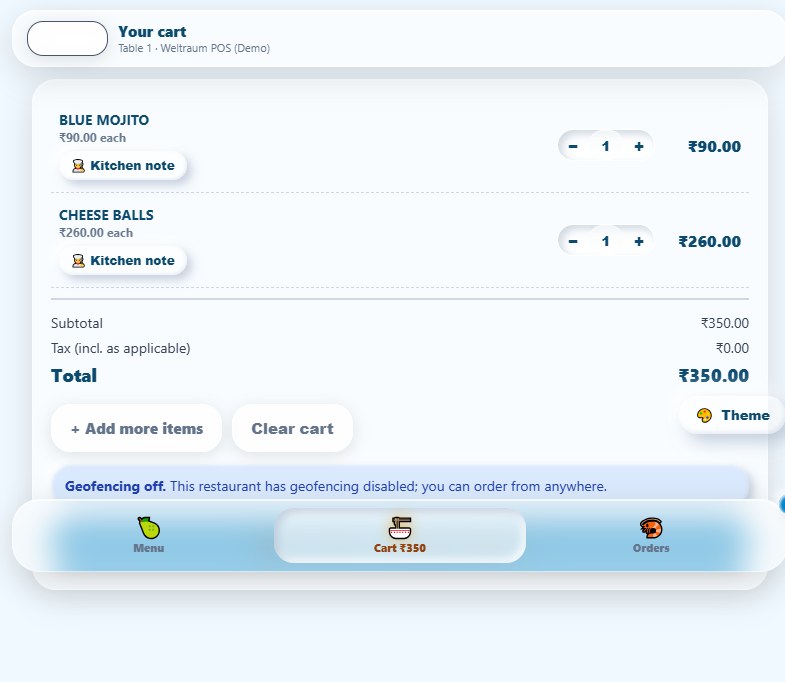
Guests review the cart, change quantities, add more items and send everything to the kitchen as one KOT — with the order reference shown back on the phone.
Find any dish instantly by item name or code, or browse by category — built for long QSR menus where guests know exactly what they want.
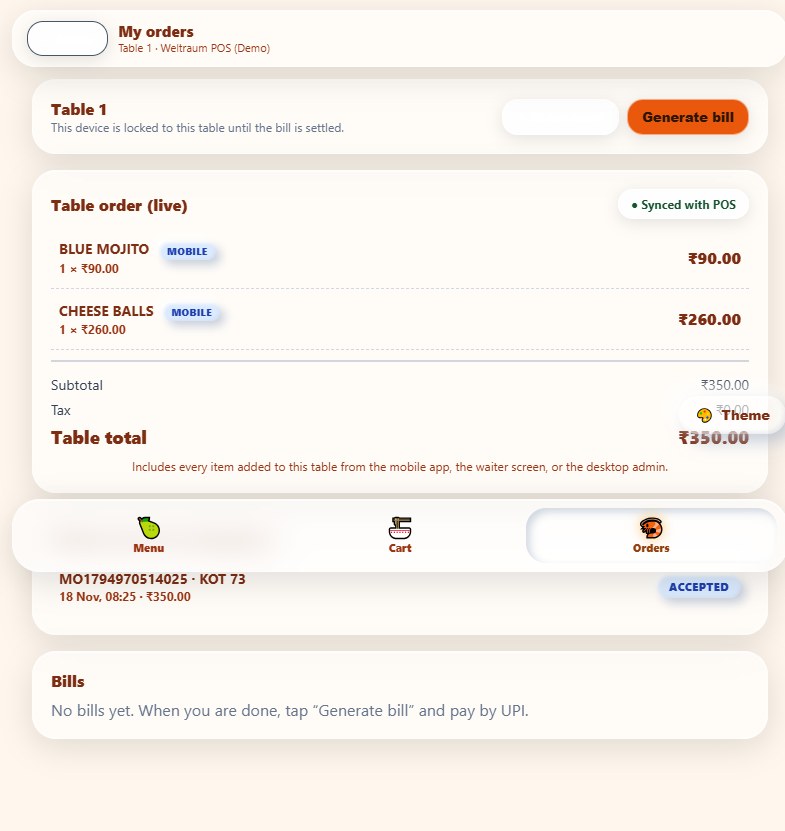
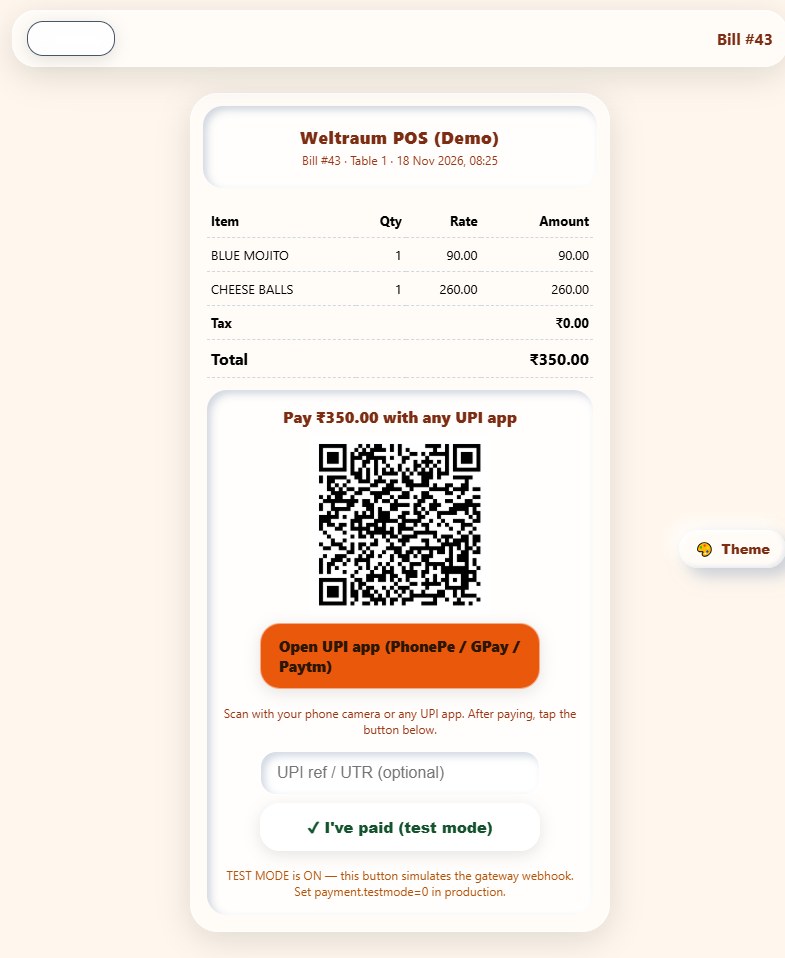
Generate the bill from the Orders screen, scan the UPI QR with any UPI app, record the reference and confirm — the digital bill is then settled and ready to share.
Real captures from the Weltraum POS guest ordering app — scan, menu, cart, KOT, bill and payment.
Guests order from their own phone at the table, while the counter or kiosk takes takeaway orders on the same menu. Both write to the same table order, KOT and bill.
| Operation | Guest QR Phone | QSR Counter / Kiosk |
|---|---|---|
| Best for | Dine-in tables, guest self-ordering | Takeaway, counter and quick-service turnover |
| Open the menu | Scan the QR code on the table | Tap the counter or kiosk ordering screen |
| Sign in | Mobile number, no password | Staff or counter login |
| Pick an item | Tap category then tap the item card | Same category and item cards |
| Quantity | Tap the + / − stepper | Same stepper, or key the quantity |
| Find an item | Search box and category chips | Same search and category chips |
| Kitchen order | Kitchen note, then send KOT | Kitchen note, then KOT to KDS |
| Bill & pay | Generate bill, pay by UPI QR | Generate bill, cash / card / UPI |
| Remembered? | Yes — the phone stays with its table until the bill is settled, and every order syncs to POS | |
Scan QR → open menu
Enter mobile → start order
Add items → send KOT
Generate bill → pay by UPI
Bill settled → synced to POS
Dine-in and quick-service orders use the same menu and kitchen flow, so busy counters can turn tables and tickets fast without changing the way staff work.
The menu shows POS online status and the table order updates live in Weltraum POS. Geofencing can be switched on or off to match how your restaurant operates.